Better Sheets on YouTube
Watch with annotated transcripts: formulas, glossary terms, and related guides inline.

How To Use Index Match | An Alternative To Vlookup
Learn how to use the Index Match function as a powerful alternative to VLOOKUP in Google Sheets, allowing for more flexible data retrieval without rearranging your data.

Turn On Screen Reader Support in Google Sheets
Learn how to enable screen reader support in Google Sheets, enhancing accessibility features for better navigation and collaboration. This tutorial covers the steps to activate the accessibility menu and utilize keyboard shortcuts effectively.
AI Formula in Google Sheets
Discover the powerful AI function in Google Sheets and learn how to generate text, summarize information, and categorize inputs effortlessly. This video showcases practical examples and tips to enhance your spreadsheet experience using AI.

How To Send Emails as PDF to Kindle, Automatically
Learn how to automatically send emails as PDFs to your Kindle using Google Sheets and App Script in this comprehensive tutorial. Follow along as we set up the process step-by-step, ensuring you can read your favorite emails on your Kindle effortlessly.

Generate Short Random Codes or IDs
Learn how to generate short random codes or IDs using Google Sheets and Apps Script, ensuring uniqueness by checking for duplicates. This tutorial covers creating custom menus and functions for flexible code generation.

URL Link to Last Row
Learn how to create a dynamic URL link to the last row of your Google Sheets document, ensuring that the link always directs users to the most up-to-date data.

Get Values from Sheet for Custom Function in Apps Script
Learn how to create a custom function in Google Sheets using Apps Script to generate random numbers based on user-defined minimum and maximum values from the sheet. This video guides you through the process of retrieving data from the active range and setting values effectively.
Enter Name Get Grades
Learn how to create a dropdown menu in Google Sheets that allows you to select a name and retrieve corresponding grades using the FILTER function. This video also covers handling multiple entries and using the INDEX function to manage duplicates effectively.

How To Create Chat Space with Google Sheets Apps Scripts
Learn how to create chat spaces in Google Sheets using Apps Script, enabling you to assign tasks to team members seamlessly. This tutorial covers the necessary steps and code to automate chat space creation for efficient collaboration.
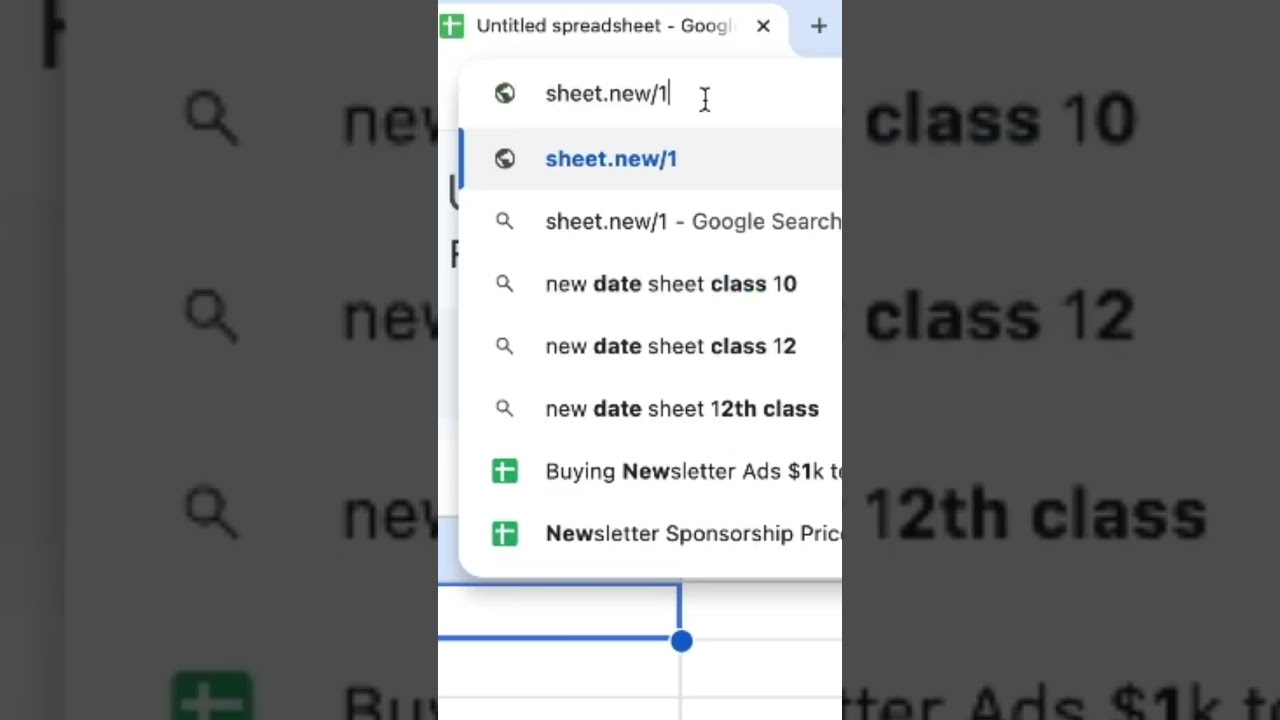
Brand New Sheet
Learn how to quickly create a new Google Sheet using the simple URL 'sheet.new'. This method works seamlessly across different accounts and even in incognito mode.
Think about MIDDLE vs CENTER Alignment!
Learn the crucial differences between middle and center alignment in spreadsheets to enhance their appearance and functionality. This video provides practical tips for aligning data effectively in Google Sheets.

Automatic Screenshot in Google Sheets
Learn how to automate screenshot capturing in Google Sheets using the Screenshot One API. This tutorial covers setting up the API, creating functions to grab screenshots, and saving them to Google Drive on a scheduled basis.

Keyword Search Amazon in Google Sheets
Learn how to create a Google Sheets setup that allows you to search Amazon and other shopping sites directly from your spreadsheet, streamlining your product search process.

Share 1 Row to Another Tab, Forever
Learn how to consistently copy a row from one tab to another in Google Sheets without the hassle of manual copying and pasting. This video demonstrates using formulas like IMPORT RANGE and curly brackets to keep your data synchronized effortlessly.

How to Highlight 3rd Highest Number in Column
Learn how to highlight the third highest number in a column using conditional formatting in Google Sheets. This tutorial also covers how to highlight the top three scores effectively.

Share 1 Cell to API
Learn how to share a single cell value from Google Sheets to an API, allowing anyone with the URL to access the data without sharing the entire sheet. This tutorial covers the steps to set up a web app using Google Apps Script to achieve this functionality.

How to Highlight 2nd Highest Score on Leaderboard
Learn how to highlight the second highest score on a leaderboard in Google Sheets using conditional formatting and the LARGE function.

Find High Value Targets in Google Sheets
Learn how to identify high-value targets in Google Sheets using logical expressions and conditional formatting to highlight your best options as an intergalactic bounty hunter.

How to Add Alternating Row Colors
Learn how to easily add alternating row colors in Google Sheets to enhance readability and make your data stand out. This tutorial covers both traditional methods and the new streamlined approach using built-in formatting options.

SUM IF Fuzzy Search
In this video, learn how to use the SUMIF function with fuzzy search techniques to sum sales data based on specific criteria in Google Sheets. Discover how to effectively utilize wildcards and combine text for more dynamic calculations.

Change Country in Google Sheets
Learn how to change the country settings in Google Sheets and understand the implications on functions, date formats, and currency. This video also covers how to manage time zones for automations and language settings in Google Workspace.

Most Powerful Pokemon
Discover how to find the most powerful Pokemon in your list using Google Sheets functions like MAX and XLOOKUP. Learn the differences between VLOOKUP and XLOOKUP for efficient data retrieval.

How To Delete Version History
Learn how to effectively delete version history in Google Sheets to protect sensitive information and create clean templates for sharing. This method is essential for anyone looking to sell or distribute their spreadsheets without exposing previous edits.

How to See Version History in Google Sheets
Learn how to view and manage version history in Google Sheets, including how to name versions for easy access and tracking changes over time.