How to sort by date in Google Sheets
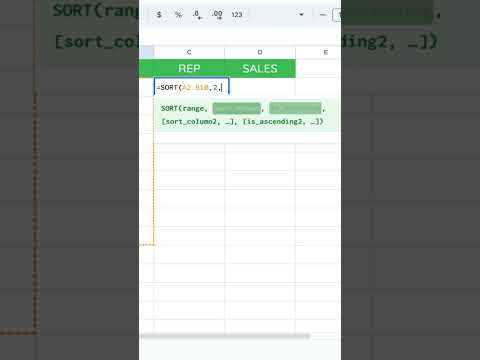
Click a cell in your date column, then Data → Sort sheet → Sort by that column A to Z for oldest to newest (Z to A for newest first). Dates must be real date values, not text that only looks like dates. Format the column as Format → Number → Date first if sorts look wrong. For a list that stays sorted automatically, use =SORT(A2:C, 1, true) pointing at the date column.
Steps
-
1
Format the column as Date (Format → Number → Date).
-
2
Click inside the date column.
-
3
Data → Sort sheet (or Sort range) by that column.
-
4
A to Z = oldest first; Z to A = newest first.
Related tutorials
These videos might help you go deeper on this topic.
Ian Asks: How to sort dates by year/month (can't do with filter)
Life to Date
How Many Days Between Two Dates?
How To Change Date Format Automatically
Better Sheets on YouTube
Watch matching videos from youtube.com/bettersheets.


Terms and formulas behind this
Want the full definition or how a formula works? Start here.
sorting data in Sheets
Sorting reorders rows by one or more columns. The Data > Sort range menu sorts selection in place. The SORT function ...
Open →SORT
SORT reorders rows from an input range and spills the result elsewhere. Source data stays put, unlike Data > Sort ran...
Open →cell formatting
Cell formatting controls how values display without necessarily changing the stored value underneath. Currency, perce...
Open →COLUMN()
Google Sheets COLUMN() function guide
Open →DATE()
Google Sheets DATE() function guide
Open →SORT()
Google Sheets SORT() function guide
Open →SHEET()
Google Sheets SHEET() function guide
Open →Related questions
How to sort Google Sheets by column
Select your data, then use Data → Sort sheet or Data → Sort range. Pick the column and direction. Advanced range sorting options let you add secondary keys. Sorting changes the sheet in place; =SORT(...) builds a sorted spill range elsewhere.
Get the answer →How to sort in Google Sheets by column
Select your data, then use Data → Sort sheet or Data → Sort range. Pick the column and direction. Advanced range sorting options let you add secondary keys. Sorting changes the sheet in place; =SORT(...) builds a sorted spill range elsewhere.
Get the answer →Google Sheets how to sort by column
Select your data, then use Data → Sort sheet or Data → Sort range. Pick the column and direction. Advanced range sorting options let you add secondary keys. Sorting changes the sheet in place; =SORT(...) builds a sorted spill range elsewhere.
Get the answer →How do you sort a column in Google Sheets
Select your data, then use Data → Sort sheet or Data → Sort range. Pick the column and direction. Advanced range sorting options let you add secondary keys. Sorting changes the sheet in place; =SORT(...) builds a sorted spill range elsewhere.
Get the answer →How to sort column in Google Sheets
Select your data, then use Data → Sort sheet or Data → Sort range. Pick the column and direction. Advanced range sorting options let you add secondary keys. Sorting changes the sheet in place; =SORT(...) builds a sorted spill range elsewhere.
Get the answer →How to use pi in Google Sheets
For use pi in Google Sheets, start from the cell or range you care about, then use the menu that matches the job (Format, Data, Insert, or View). Prefer a small test range before changing a whole tab. Search the menus for “use pi” if you are unsure which command applies. Linked glossary terms and formula pages below go deeper when this is function-related.
Get the answer →Need more than a quick answer?
Membership unlocks 636+ tutorials, unlimited generators, and every template.